- Developer
- ErlYen Watch
- Installs
- 1K+
- Downloads
- 1
- Views
- 11
- Updated
- Oct 16, 2026
Screenshots
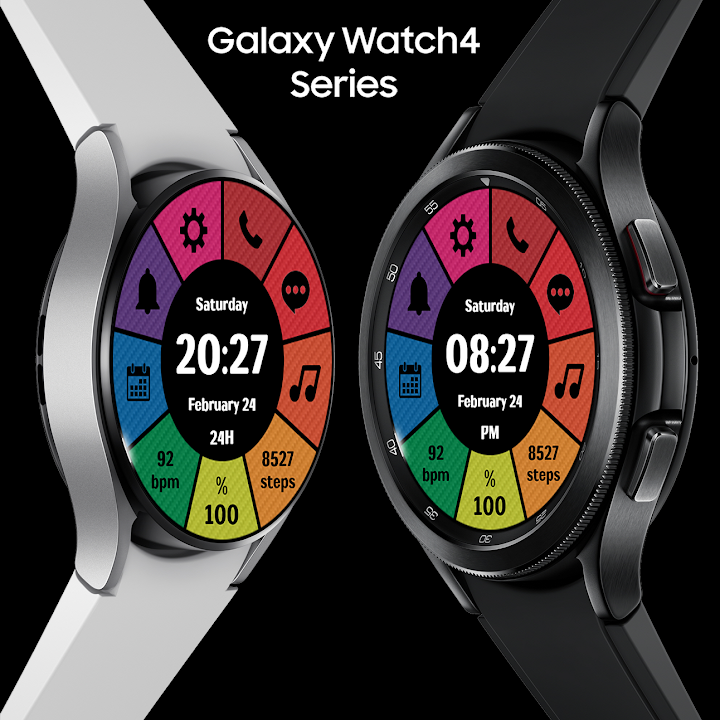
About EY34 Digital Color WatchFace
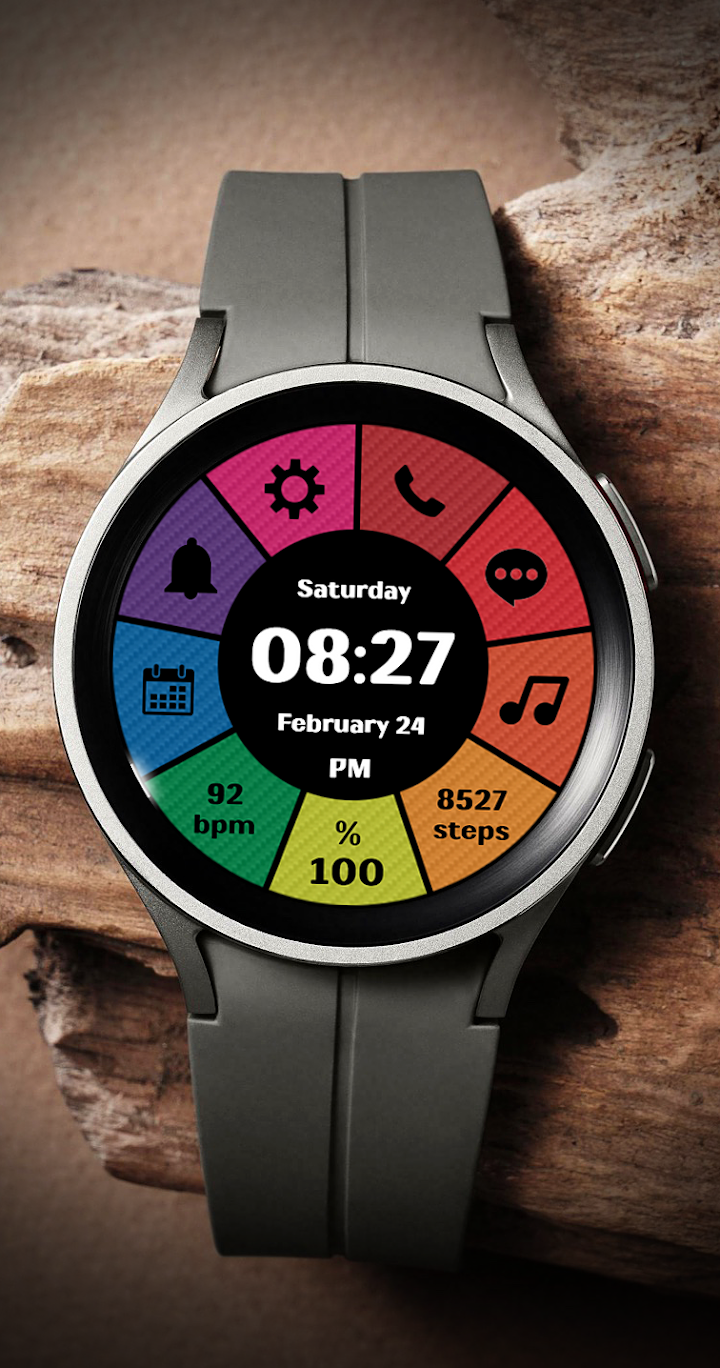
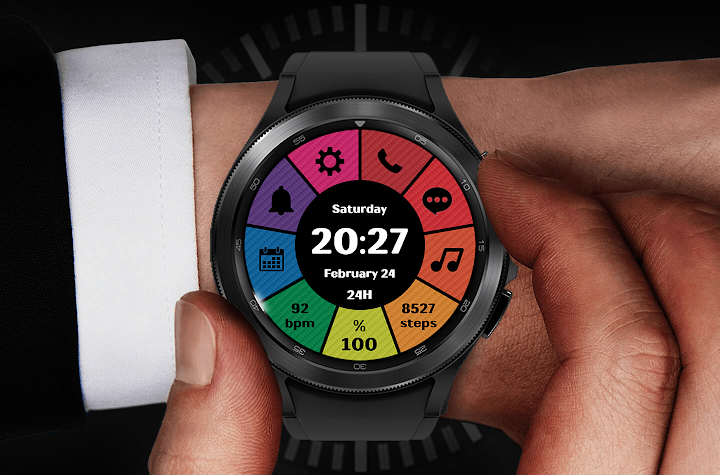
A good watch face should look great and still give you the information you need at a glance. EY34 Digital Color does both. This high-quality digital watch face for Wear OS 3 combines a bright, colorful design with a clear display of time, date, battery, steps and heart rate. It also gives you six quick app shortcuts, so your most-used tools are always one tap away. If you want a modern, practical look for your smartwatch, EY34 is worth a closer look.
What Is EY34 Digital Color?
EY34 Digital Color is a digital watch face created for smartwatches running Wear OS 3. It focuses on readability and everyday usefulness, presenting key data in a neat layout with vivid color accents. Because the time format follows your phone settings, the watch face automatically shows either a 12-hour or 24-hour clock, depending on what you prefer.
Key Features
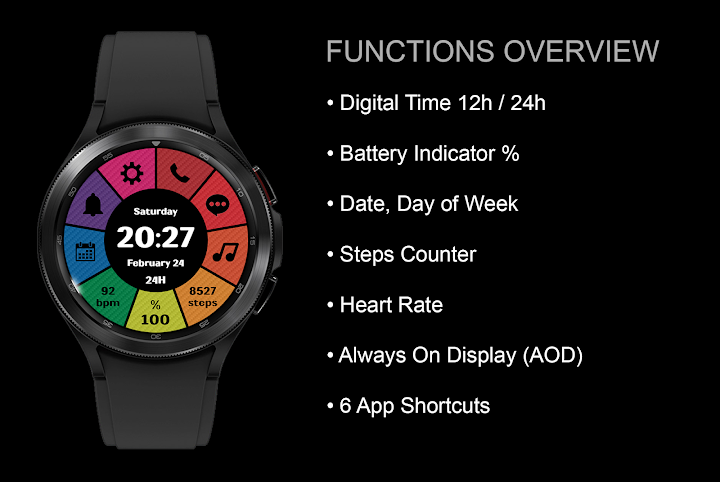
- Digital time in 12h or 24h: The format follows your phone settings.
- Date and day of the week: Stay on top of your schedule at a glance.
- Battery indicator in percent: Know exactly how much charge is left.
- Step counter: Track your daily movement right from the watch face.
- Heart rate display: Keep an eye on your pulse without opening another app.
- Always on display (AOD) support: Check the time without waking the screen.
- 6 app shortcuts: Phone, Message, Alarm, Settings, Calendar and Music player.
Quick Shortcuts at Your Fingertips
Shortcuts save time, and EY34 includes six of them. With a single tap, you can open the Phone, Message, Alarm, Settings, Calendar or Music player apps. This is especially handy when your hands are busy, because you can reach common tools without scrolling through menus.
Everyday Information, Clearly Displayed
The layout is built around the details people check most often. The digital clock takes center stage, while the date, day of the week, battery percentage, step count and heart rate sit alongside it. Everything is easy to read, so you can understand your day in just a glance, whether you are heading to work, exercising or relaxing at home.
Always on Display Support
EY34 supports always on display, which means the watch face can remain visible in a low-power mode when you are not actively using your watch. That lets you check the time quickly, with no need to raise your wrist or tap the screen every time.
Compatible Devices
This watch face supports Wear OS 3 and works with the Samsung Galaxy Watch 4, 5 and 6 series, as well as other compatible Wear OS devices.
Important: EY34 is not for Samsung Gear S3, Samsung Gear Sport or older Galaxy Watch models that run Tizen OS. Please check your smartwatch's operating system before you install it.
Why Choose EY34 Digital Color?
- Colorful, modern digital design that is easy to read.
- Useful health and activity data, including steps and heart rate.
- Automatic 12h or 24h time based on your phone.
- Six one-tap shortcuts for common apps.
- AOD support for quick time checks.
Tips for Setting It Up
- Check compatibility first. Make sure your watch runs Wear OS 3 and not Tizen.
- Set your time format on your phone. The watch face follows that setting automatically.
- Enable health permissions. Steps and heart rate need access to your watch sensors to display data.
- Test the shortcuts. Tap each one once so you know exactly where it leads.
Frequently Asked Questions
Does EY34 work with Samsung Galaxy Watch 4, 5 and 6?
Yes. It supports Wear OS 3 and is compatible with the Galaxy Watch 4, 5 and 6 series, along with other compatible devices.
Will it work on older Samsung watches?
No. It does not support Samsung Gear S3, Gear Sport or Galaxy Watch models running Tizen OS.
How does the 12h/24h time work?
The watch face follows your phone's time format settings.
Does it support always on display?
Yes. AOD is supported.
Which apps can I open from the watch face?
You can open Phone, Message, Alarm, Settings, Calendar and Music player with a single tap.
Give Your Wrist a Fresh Look
If you want a clean, colorful and practical watch face for your Wear OS 3 smartwatch, EY34 Digital Color is a strong choice. Install it today and enjoy clear information, handy shortcuts and a style that stands out. ⌚