- Developer
- Nevix Corporation
- Installs
- 50K+
- Downloads
- 1
- Views
- 12
- Updated
- Oct 15, 2026
Screenshots
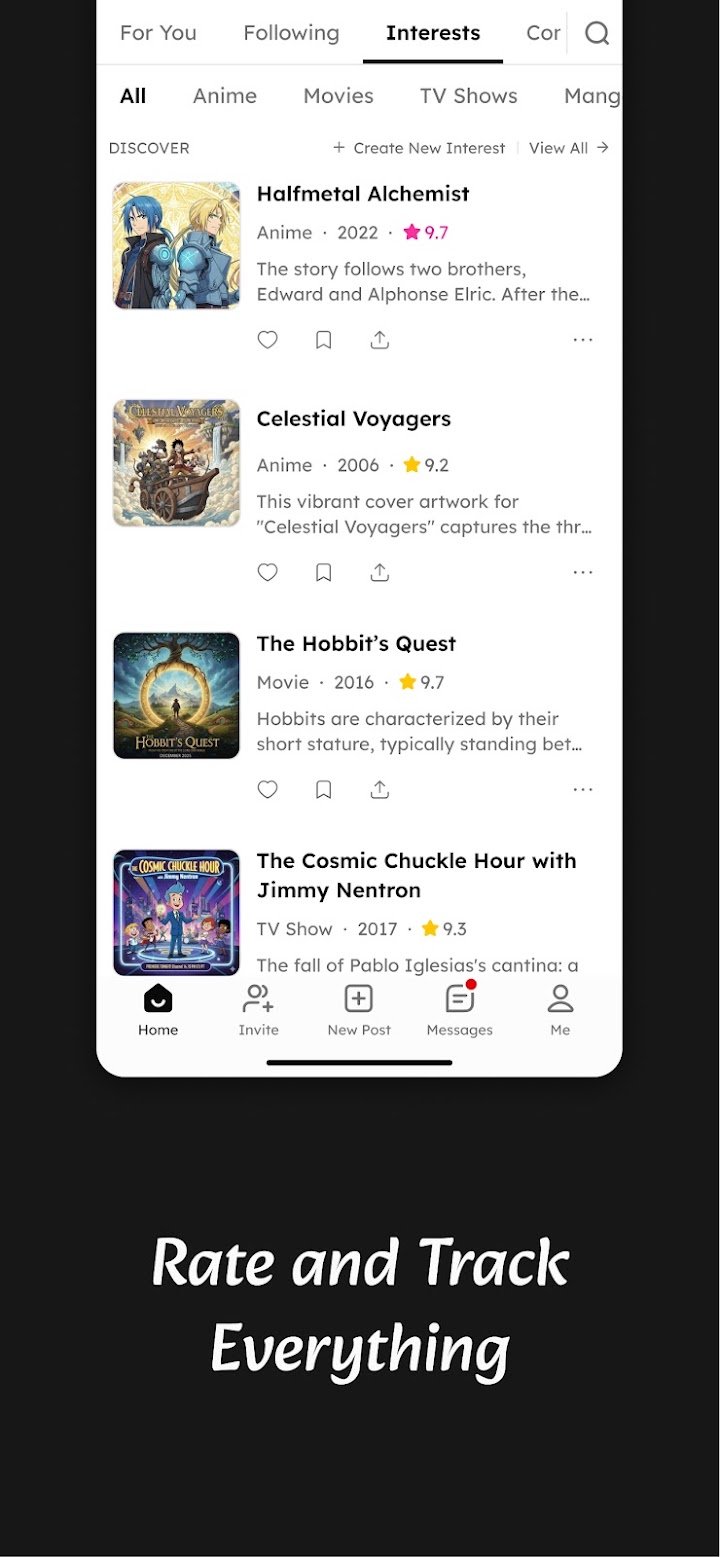
About Nevix
Most of us have a mess of tabs, saved posts, and half-forgotten bookmarks scattered across a dozen apps. Nevix tries to tidy that up. It combines communities, feeds, bookmarks, and ratings in one place, with a focus on useful content rather than endless scrolling. This guide explains what Nevix is, how it works, and whether it might suit the way you like to browse the internet.
What Is Nevix?
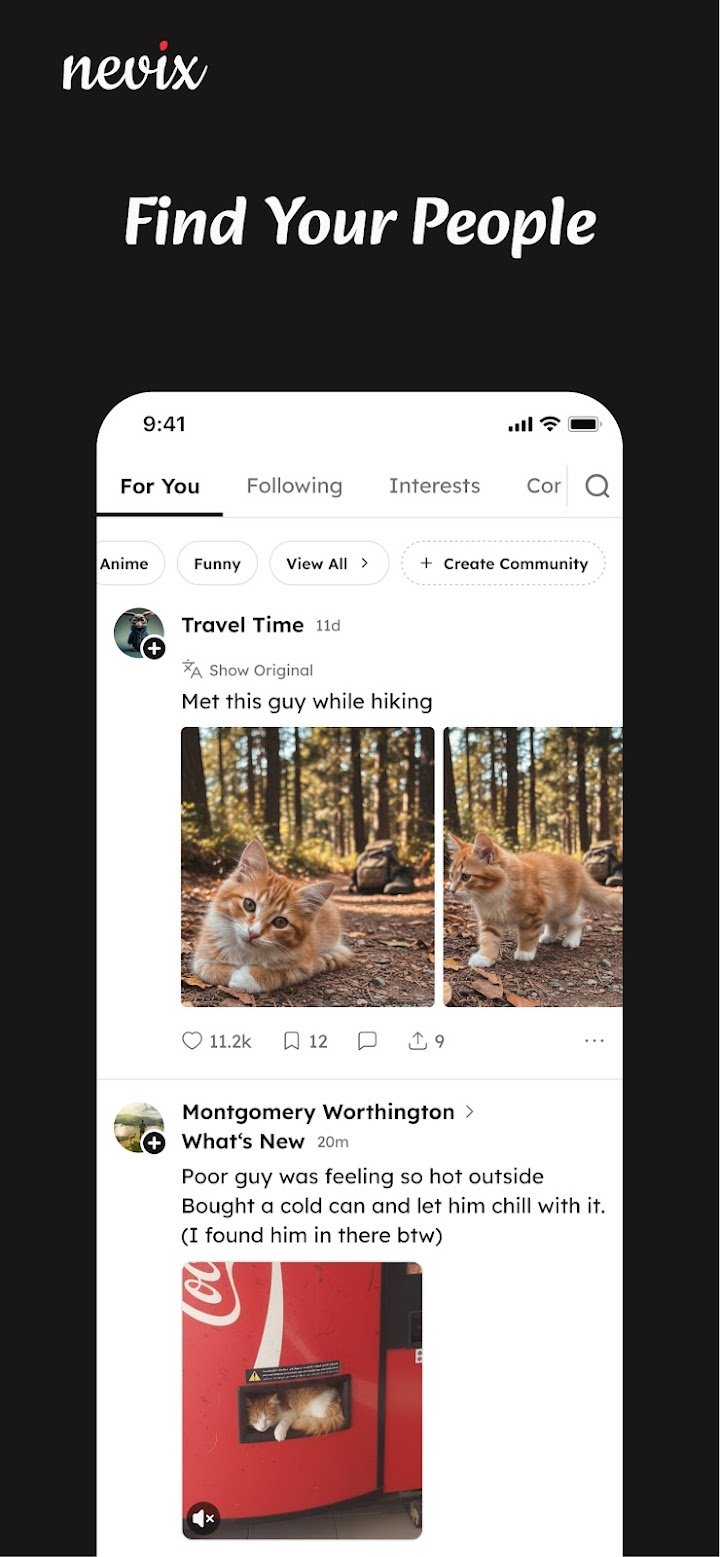
Nevix is an app built around the things you are interested in. According to the developers, it blends the best parts of forums, trackers, and feed readers into one space where you can discover, discuss, rate, and save content. Whether you follow anime, news, cooking, or technology, the idea is to give each interest its own home.
Who Is It For?
Nevix is aimed at people who want a calmer, more focused online experience. If you enjoy conversations with like-minded people, like keeping track of what you watch or read, or simply want fewer distractions, it may appeal to you. It also suits anyone who feels overwhelmed by noisy social feeds.
Why Do People Look for Apps Like Nevix?
Many people are tired of feeds that try to keep them scrolling for as long as possible. Nevix positions itself as the opposite, promising a high signal-to-noise ratio, no algorithm deciding what you see, and no infinite scroll traps. That focus on quality over quantity is a big part of its appeal.
More Signal, Less Noise
"Signal-to-noise ratio" simply means how much of what you see is genuinely useful. When a platform prioritizes real conversation and relevant content, you spend less time sorting through filler. For many users, that makes browsing feel lighter and more rewarding.
Key Features of Nevix
Nevix brings several tools together so you do not have to jump between apps. Here is what it offers:
- Communities: Join groups on almost any topic, start discussions, and share finds with people who care about the same things.
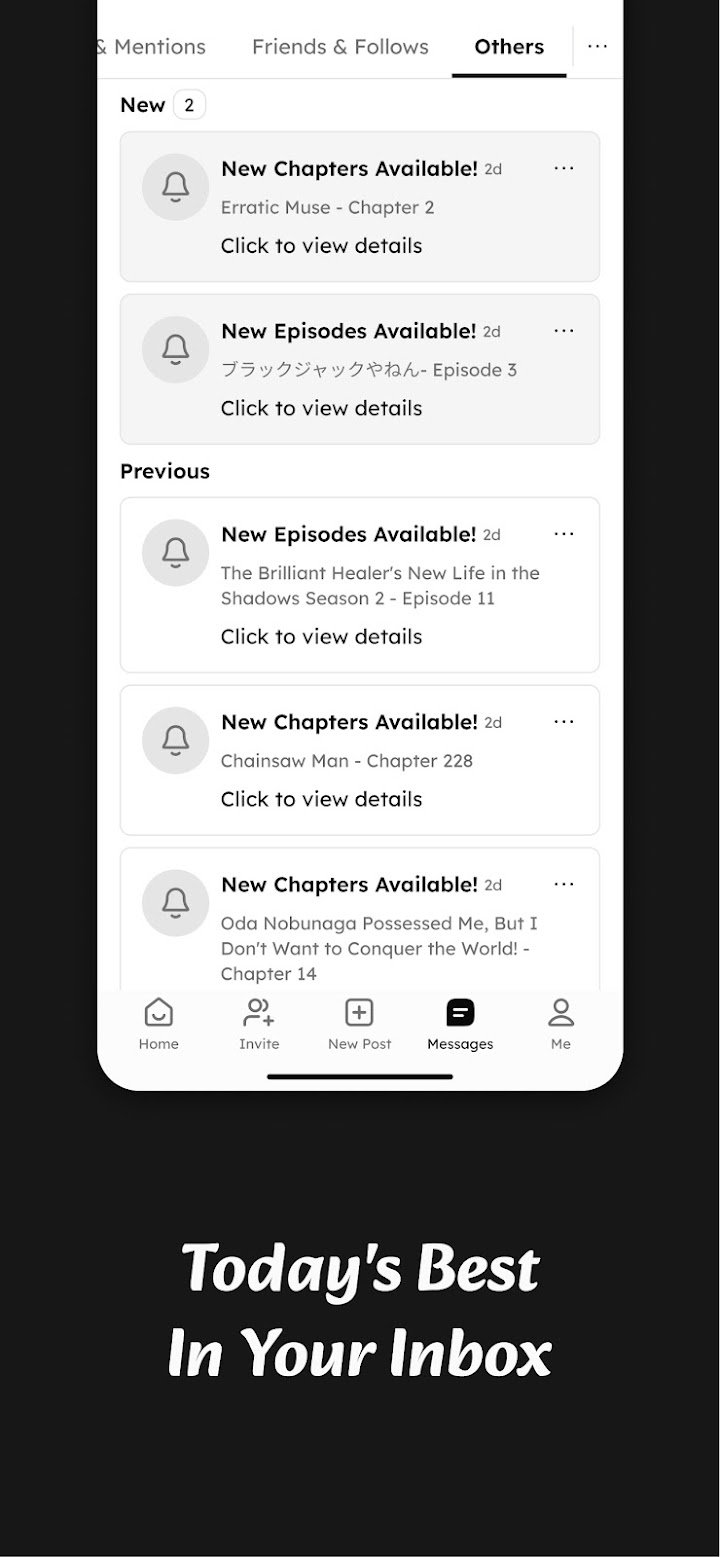
- Feeds: Subscribe to updates such as anime episode releases, news roundups, and social trend summaries.
- Daily email digest: Receive highlights by email so you do not miss important updates.
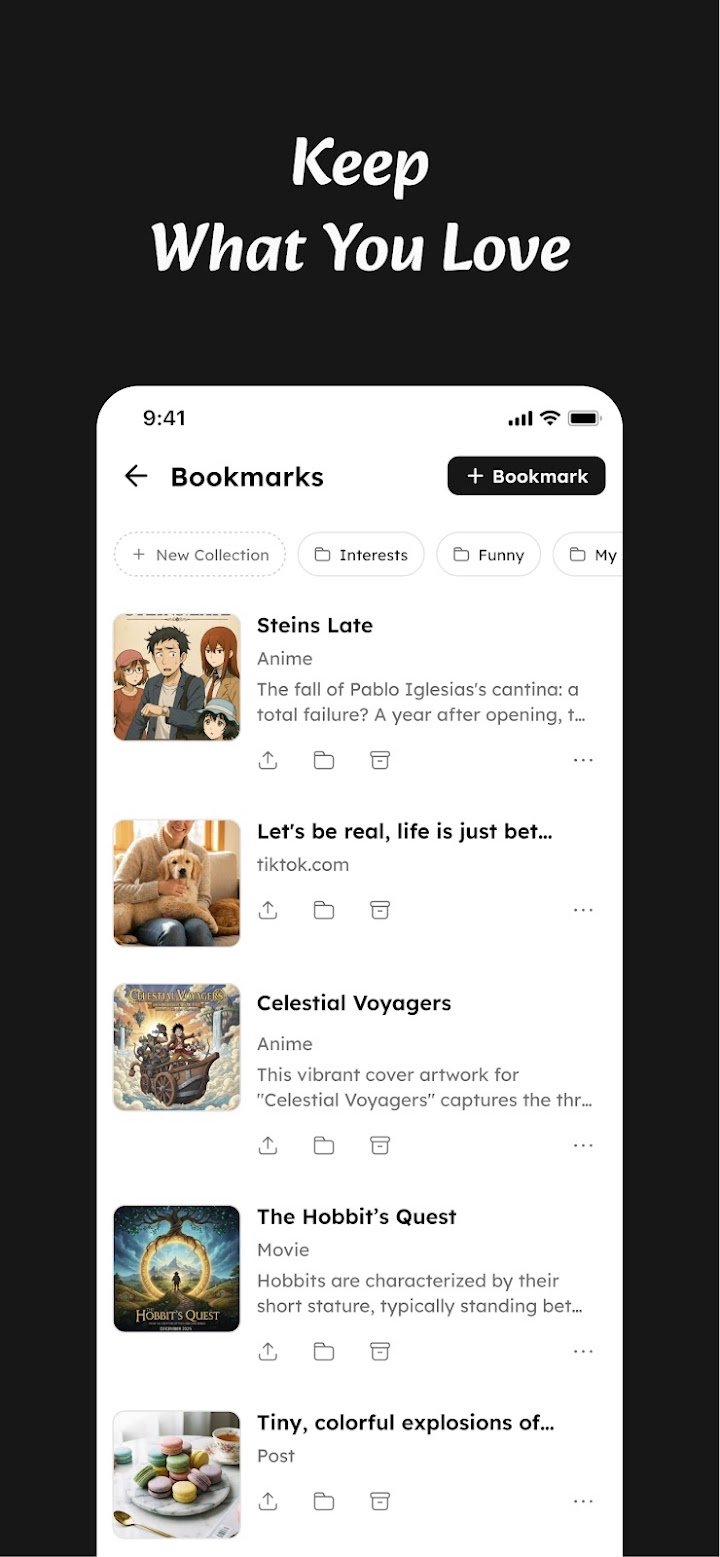
- Bookmarks: Save articles, posts, videos, and links in one organized collection.
- Ratings and tracking: Keep a record of shows, movies, games, books, and people you have enjoyed.
Communities With Their Own Personality
Each community works as its own space with its own vibe, so a cooking group can feel very different from a tech group. You can start a conversation, share something you found, or simply read along. This setup makes it easier to find your people without wading through unrelated posts.
Feeds Delivered on Your Terms
Feeds let you follow topics you care about without hunting for updates manually. The optional daily email digest is handy if you prefer a quick summary over checking the app constantly. It is a simple way to stay informed without letting notifications take over your day.
Bookmarks and Ratings
Saving links from different places into one collection keeps your reading list from getting lost. Ratings work as a personal diary of what you have watched, played, or read. According to the developers, your ratings can also help the community discover great content.
How to Get Started With Nevix
- Download or open Nevix and create your account.
- Join a few communities that match your interests.
- Subscribe to feeds for topics you want to follow, such as news or anime.
- Turn on the daily email digest if you like summaries.
- Bookmark articles, videos, or links as you come across them.
- Start rating the shows, books, and games you have enjoyed.
Quick tip: Start with a small number of communities and feeds. A focused setup keeps things useful, and you can always add more later.
Tips for Getting the Most Out of Nevix
A little organization goes a long way. Choose communities you will actually read, rather than joining everything at once. Use bookmarks for things you want to revisit, and rate items soon after finishing them so your records stay accurate.
Common Mistakes to Avoid
One mistake is subscribing to too many feeds, which can bring back the very overload you were trying to escape. Another is ignoring the bookmark feature, then losing track of useful links. Keep your setup tidy, and review it every so often.
Pros and Cons
Pros
- Combines communities, feeds, bookmarks, and ratings in one app
- Focus on useful content rather than endless scrolling
- Daily email digest for easy catch-up
- Wide range of topics, from anime to tech and cooking
Cons
- Community size and activity may vary by topic
- Without algorithmic suggestions, you need to search for new interests yourself
- Newer platforms may have fewer users than established social networks
Frequently Asked Questions
What is Nevix?
Nevix is an app that combines communities, feeds, bookmarks, and ratings so you can discover, discuss, and save content about the topics you care about.
Does Nevix use an algorithm to choose what I see?
According to the developers, no. The platform says it avoids algorithm-driven feeds and engagement tricks, aiming instead for real conversation and a calm experience.
Can I save links and articles in Nevix?
Yes. You can bookmark articles, posts, videos, and links from anywhere and keep them in one personal collection.
Can I track what I watch and read?
Yes. You can rate shows, movies, games, books, and people, and keep a running record of what you have enjoyed.
Final Thoughts
Nevix offers a refreshing alternative for anyone who wants their online time to feel more intentional. By combining communities, feeds, bookmarks, and ratings, it gives you one calm place for the things you care about. If you are tired of noisy feeds and scattered saved links, it is worth trying, starting small and building a space that works for you.