- Developer
- IDZ Digital Private Limited
- Installs
- 5M+
- Downloads
- 1
- Views
- 9
- Updated
- Oct 17, 2026
Screenshots
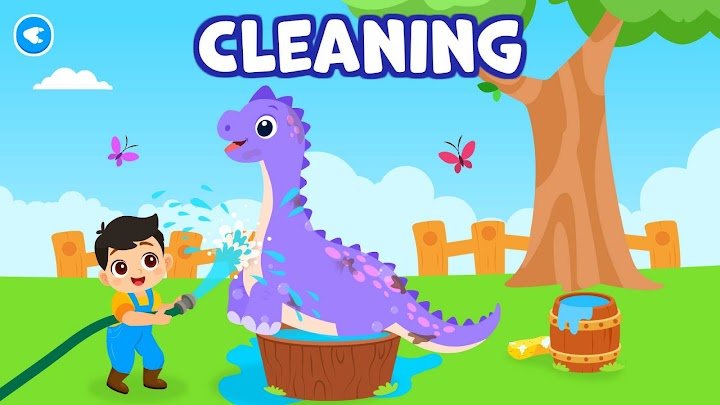
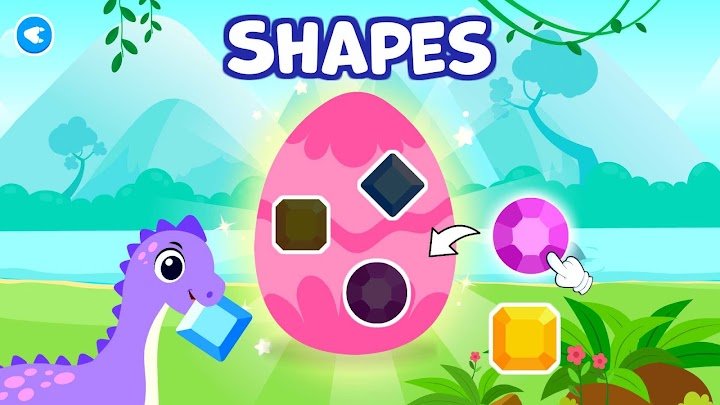
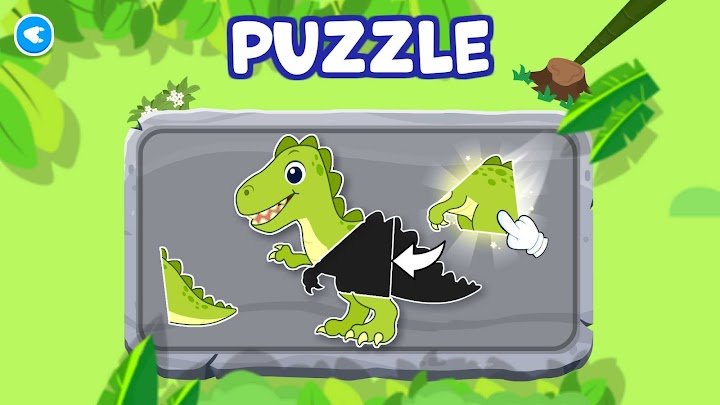
About Toddler Games for 2+ Year Olds
Choosing apps for young children can feel overwhelming. There are thousands of options, and it is hard to know which ones are actually helpful and which are just noisy distractions. KidloLand Dino Preschool aims to be a learning-focused option, wrapped in a friendly dinosaur theme. This guide explains what the app offers, how it supports early learning, and what parents should check before downloading it.
What Is KidloLand Dino Preschool?
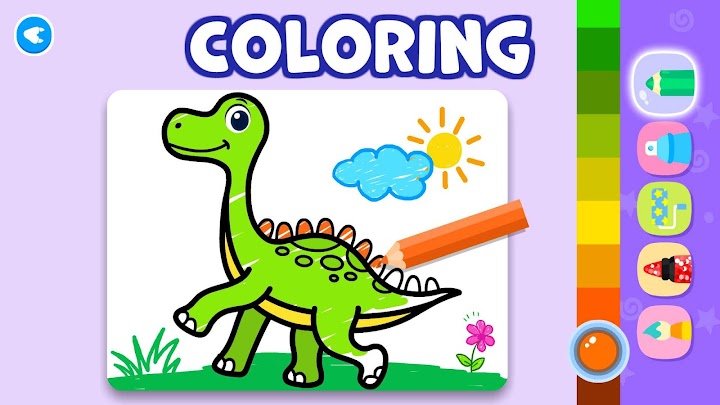
KidloLand Dino Preschool is an educational app for toddlers and young children, filled with games that teach basic early learning skills. According to the developers, it includes more than 650 activities for kids aged 2 to 5, covering topics like colors, shapes, numbers, animals, and coordination. The games are presented with cute dinosaur characters and bright animations.
Who Is It For?
The app is meant for toddlers, preschoolers, and kindergarteners, and the developers say it can also suit first and second graders. Parents, teachers, and homeschooling families may find it useful as a supplement to other learning activities. It can also work for children who love dinosaurs and need extra motivation to practice basic skills.
What Kinds of Games Are Included?
The app offers a wide mix of activities rather than just one type of game. Children can sort, trace, match, color, tap, and solve simple puzzles, all within a playful setting. This variety helps keep young children interested and gives them different ways to practice the same ideas.
Skills Children Can Practice
- Colors and shapes: Identify and match basic colors and shapes.
- Numbers and early math: Explore counting and simple number concepts.
- Animals and the world around them: Learn through familiar topics.
- Motor skills and coordination: Tap, trace, and drag with growing control.
- Memory and problem-solving: Play matching and puzzle games.
- Social-emotional learning: Experience gentle lessons through playful dinosaur characters.
Printable Activities
The developers also mention printable activities, which can help move learning from the screen to the table. Printing a worksheet or coloring page gives children a hands-on break. It is a nice way to balance screen time with traditional learning.
Key Features of KidloLand Dino Preschool
- 650+ educational games for toddlers and preschoolers
- Free to download, according to the developers
- Offline play: No internet or Wi-Fi required
- Code-protected sections: Helps prevent accidental setting changes or unwanted purchases
- Dinosaur-themed characters and animations that appeal to young children
- Learning across ages: Suitable for preschool through early elementary levels, per the developers
Note for parents: The app is described as free to download, but many children's apps include optional subscriptions or purchases. Review the store listing and the code-protected areas before handing the device to your child.
Parent Controls and Safety
The app includes code-protected sections so children are less likely to change settings or make purchases by mistake. This is a helpful feature, but it works best alongside device-level controls such as purchase passwords. It is also smart to read the privacy policy before installing any children's app.
Playing Without Internet
Because the games can be played offline, the app is handy on trips, in waiting rooms, or at places with weak signal. Offline play can also reduce the chance of children wandering into unwanted online content. It makes screen time easier to manage for many families.
How Does It Support Early Learning?
Young children learn best through play, repetition, and small wins. The app uses short, interactive games that let children practice the same skill in different ways. Rewards like animations and friendly characters help keep them motivated, though the app is not a replacement for real-world learning and interaction.
How to Get Started
- Download KidloLand Dino Preschool from your device's app store.
- Open the app and look through the available game areas with your child.
- Choose a few activities that match your child's current interests.
- Play together for the first sessions to explain how the games work.
- Set screen time limits and check the code-protected sections.
- Use printable activities for offline practice.
Tips for Parents and Teachers
Let your child lead the choice of games, but gently guide them toward a mix of activities. Talk about what they are learning, for example, "What shape is this?" or "How many dinosaurs do you see?" Short sessions, followed by real-world play like drawing or building, usually work better than long stretches of screen time.
Common Mistakes to Avoid
- Letting young children play for long periods without breaks
- Skipping the review of purchase and privacy settings
- Using the app as the only learning tool
- Expecting every game to suit every age in the 2 to 5 range
Pros and Cons
Pros
- Large library of educational activities
- Works offline
- Parent-friendly protected sections
- Fun dinosaur theme for young children
Cons
- Too many options may overwhelm very young toddlers
- Some content may be too easy for older children
- Check the store listing for any in-app purchases or subscriptions
Frequently Asked Questions
What age group is KidloLand Dino Preschool for?
The developers say it is designed for children aged 2 to 5, and it may also suit some first and second graders.
Does the app work offline?
Yes. According to the developers, the games can be played without internet or Wi-Fi.
How many games are included?
The description says there are more than 650 educational games covering topics like shapes, colors, animals, and numbers.
Is the app free?
The developers describe it as free to download. Always check the store listing for details about optional purchases or subscriptions.
Final Thoughts
KidloLand Dino Preschool combines a large collection of learning games with a cheerful dinosaur theme. It offers a flexible, offline-friendly way for toddlers and preschoolers to practice early skills. Play together at first, use the parental controls, and balance screen time with real-world activities to help your child get the most from it.